Understanding Failure Mode Complexity in Pumps & Compressors
After 35+ years distributing industrial equipment globally, 3G Electric has observed that maintenance teams often misdiagnose Pumps & Compressors issues because symptoms appear identical across different failure modes. A pump producing low pressure could indicate cavitation, seal degradation, impeller damage, or inlet blockage—yet each demands a completely different response.
This diagnostic approach eliminates guesswork. Instead of chasing symptoms, we follow decision trees that narrow failure modes through sequential testing and observation. Your first action isn't repair; it's asking the right diagnostic questions.
The core principle: every failure mode has a unique "signature" of secondary symptoms. Learning to read these signatures transforms your maintenance team from reactive repair crews into predictive diagnostic specialists.
Decision Tree #1: Low Discharge Pressure
When a pump delivers below-specification pressure, the diagnostic path splits immediately into five primary branches.
Step 1: Verify Inlet Conditions
Before suspecting pump damage, confirm the pump receives adequate supply. Check for:
- Clogged inlet strainers (most common cause—often overlooked)
- Kinked or pinched suction lines
- Cavitation noise (hissing, crackling, popping sounds)
- Air in suction lines (bubbles visible in sight glass)
If inlet conditions are clean and pressurized correctly, proceed to Step 2. If inlet pressure reads low, address supply-side issues before troubleshooting the pump itself.
Step 2: Measure Output Under Load
Connect a calibrated pressure gauge at the discharge port. Run the pump at rated speed:
- If pressure reaches specification at zero flow (discharge blocked safely), the issue is downstream (blocked discharge, worn relief valve, or clogged filtration)
- If pressure remains low even with blocked discharge, proceed to Step 3
At this point, internal wear is likely. Request the pump's operating history:
- Has it run against cavitation conditions previously?
- What fluid type is circulating—has it changed?
- Has the pump been running at elevated temperatures?
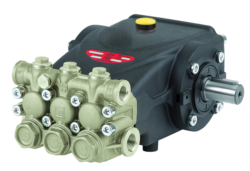
For units like the Interpump PUMP E3B2515I R, impeller erosion from cavitation reduces pressure by 15-40% depending on damage extent. Visual inspection during disassembly typically reveals pitting, material loss, or groove wear on impeller blade surfaces.
Step 4: Check Mechanical Seal and Bearing Clearances
If impeller inspection appears normal, measure bearing play:
- Excessive endplay (>0.5mm on typical designs) allows impeller axial drift, reducing efficiency
- Internal seal leakage indicates wear—measure actual flow versus rated displacement
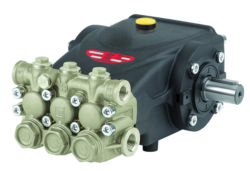
For dual-port units like the Interpump PUMP E3B2515 L, port-to-port leakage internally can account for 20-35% pressure loss if seals have degraded beyond specification.
Step 5: Evaluate Fluid Properties
Finally, confirm the working fluid hasn't changed:
- Higher viscosity than design specification increases pump load but shouldn't reduce discharge pressure—pressure loss indicates mechanical damage
- Presence of particulate or contamination confirms internal wear (cavitation, impeller damage)
- Fluid temperature >65°C suggests cooling system failure contributing to seal degradation
Decision Tree #2: Uncontrolled Flow Discharge or Pressure Spikes
This failure mode presents as erratic pressure readings, violent system vibration, or unexpected discharge flow increases—dangerous conditions requiring immediate diagnosis.
Step 1: Identify Pressure Spike Timing
Observe when spikes occur:
- On startup: Suggests relief valve malfunction or trapped air in discharge
- Intermittently during operation: Points to cavitation creating vapor collapse shock (when vapor bubbles implode)
- Under load increase: Indicates relief valve cracking at wrong setpoint
- On system shutdown: Reveals check valve failure (backflow).
Using a calibrated flow meter, measure actual discharge against specification:
- Flow higher than rated displacement × pump speed = internal bypass leakage in pump (worn clearances) or external downstream check valve failure
- Flow matches specification but pressure erratic = relief valve malfunction (not pump)
- Flow lower than specification with pressure spikes = cavitation creating compressible vapor pockets
Manually increase system load gradually while monitoring pressure:
- Pressure rises smoothly to relief setpoint, then holds constant = relief operating correctly
- Pressure overshoots setpoint before relief opens ("kick") = relief response time too slow, or setpoint adjusted incorrectly
- Pressure won't stabilize, oscillating ±50 psi = relief valve chattering (typical when setpoint adjusted too close to operating pressure)
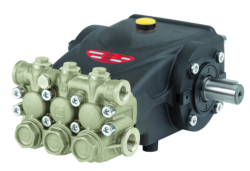
For systems using Interpump PUMP E3B1515 DX with RS500H Gearbox and DX Valve, verify the integrated valve settings match system requirements—gearbox-mounted valves can lose calibration if mounting bolts loosen.
Step 4: Inspect Check Valve Function
If spikes occur on shutdown:
- Manually operate any bypass valve near the pump—should feel smooth resistance, no grinding
- Drain system slowly; listen for water-hammer (loud shock) indicating check valve slamming closed
- Look for discharge line vibration during pressure spikes
A failed check valve allows backflow, which collapses when system pressure rises again, creating shock waves.
Step 5: Verify Gearbox Oil Level and Condition
For gear-driven units like those paired with RS500H gearboxes, low or degraded gearbox oil increases friction, which can trigger pressure relief operation unexpectedly. Check:
- Gearbox oil level (should be visible at sight glass)
- Oil color (should be clear amber; dark brown indicates overheating)
- Oil viscosity (compare to specification sheet)
Decision Tree #3: Excessive Noise, Vibration, or Grinding Without Pressure Loss
These symptoms often indicate mechanical wear that hasn't yet affected pressure—an opportunity to prevent catastrophic failure.
Step 1: Characterize the Noise
Maintenance precision requires specific language. Distinguish between:
- Grinding or growling: Bearing wear, worn impeller rub rings, or gear mesh issues
- High-pitched squealing: Cavitation (vapor bubble collapse), or belt slip if belt-driven
- Knocking or clunking: Severe bearing play, loose fasteners, or blade damage hitting casing
- Whining that changes with load: Typical pump flow ripple (pressure pulsation)—normal in positive-displacement designs
Use a portable vibration analyzer (or smartphone vibration app as rough screening):
- Vibration increasing with speed suggests mechanical looseness or bearing wear
- Vibration independent of speed suggests piping resonance or misalignment
- Vibration at pump shaft frequency (pump RPM) indicates impeller imbalance or rub
For Interpump PUMP E3C1021 DX with integrated valve and no coupling, vibration above 0.2" per second displacement at the pump body warrants bearing inspection.
Step 3: Locate the Noise Source
Use a stethoscope or vibration probe to pinpoint origin:
- Noise from pump inlet: inlet strainer blockage, suction line air leak
- Noise from pump body center: impeller damage or bearing wear
- Noise from pump discharge: check valve flutter
- Noise from connected piping: fluid-borne vibration (resonance or water hammer)
Loosen fasteners account for 40% of "mechanical" noise in field-installed pumps:
- Check all bolts connecting pump to motor/gearbox
- Verify suction and discharge line clamps
- Confirm pump mounting feet contact the baseplate fully
Re-torque all fasteners to specification. Retest before assuming internal damage.
Step 5: Examine Bearing Clearance and Shaft Play
With the pump stopped and isolated (lockout/tagout), grasp the shaft and attempt axial and radial movement:
- Axial play >1mm indicates bearing end-play wear
- Radial play >2mm indicates bearing bore wear
- Grinding sensation during rotation (slowly hand-rotate) indicates bearing race damage
For units like Interpump PUMP E3C1515 L, bearing replacement is the appropriate response—these bearings are sealed maintenance-free units designed for ~10,000 operating hours before requiring replacement.
Decision Tree #4: Overheating Without Pressure Change
Temperature rise in Pumps & Compressors indicates energy loss through friction, not necessarily a functional failure—but it's a leading indicator of imminent problems.
Step 1: Confirm Actual Temperature
Surface temperature measured with infrared gun differs from fluid internal temperature by 5-15°C:
- Pump body surface >70°C (158°F) requires investigation
- Discharge fluid >65°C (149°F) indicates excessive friction or inadequate cooling
- Gearbox surface >80°C suggests inadequate lubrication or excessive load
Pump input power = (Pressure × Flow) / 600 for metric units.
If actual motor current exceeds theoretical requirement by >15%, excess energy converts to heat:
- Misalignment between pump and driver (motor or engine)
- Worn internal clearances increasing friction
- Cooling circulation inadequate
- Fluid viscosity too high (often happens in cold climate startups)
If equipped with liquid cooling (common for high-power units):
- Verify cooling fluid flow (check bypass valve outlet, listen for circulation pump)
- Confirm cooling fluid temperature matches specification
- Check for deposits in cooling passages (common in hard-water regions)
For air-cooled designs, confirm:
- Cooling fins clean (no dust, lint, or debris)
- Ambient air temperature within specification (typically ≤45°C for full-load operation)
- Adequate air circulation around pump (not enclosed or blocked)
Degraded fluid loses cooling capacity:
- Fluid level low = inadequate heat dissipation surface
- Fluid color dark (compare to new fluid sample) = oxidized, reduced cooling ability
- Fluid viscosity outside specification = increased internal friction
Fluid analysis (viscosity, TAN acid number, particle count) provides objective data. Consider fluid change if operating >2,000 hours since last service.
Step 5: Verify Loading and Duty Cycle
Finally, confirm the pump isn't simply being overloaded:
- Is system pressure set above design specification?
- Has downstream demand (flow requirement) increased beyond original design?
- Is the pump cycling frequently or running continuously beyond design duty?
Sometimes "overheating" is actually correct operation of a pump undersized for current demand—requiring equipment upgrade, not repair.
Assembling Your Diagnostic Toolkit
3G Electric's 35 years distributing Interpump and equivalent industrial equipment shows that systematic diagnosis saves time, reduces downtime, and extends equipment life. Your maintenance team should maintain:
- Calibrated pressure gauges (0-500 psi, 0-3000 psi ranges minimum)
- Flow measurement capability (turbine or gear meter, or temporary bucket-and-stopwatch baseline)
- Temperature measurement (infrared gun, immersion thermometer)
- Vibration detection (portable vibration pen or smartphone app for initial screening)
- Historical operating data (pressure, flow, temperature at various loads from commissioning)
- Baseline measurements from equipment startup (before degradation begins)
With these tools and decision trees, your team shifts from reactive repair to systematic diagnosis. Equipment like the Interpump series (E3B2515I, E3B2515S, E3B1515 with RS500H, E3C1021, E3C1515) will reveal their failure modes through careful observation—you simply need the framework to interpret what they're telling you.